貨幣戰略論 – 張五常

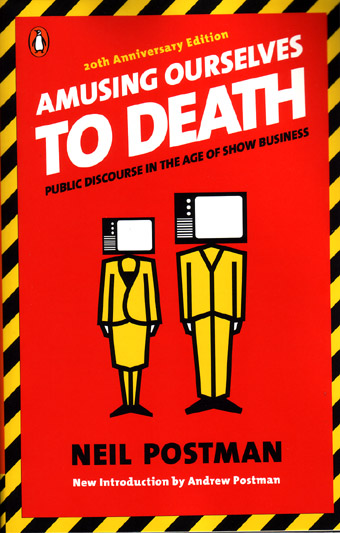
被騙一次怪別人存心不良﹐被騙二次只好怪自己蠢。上次給張五常的《新賣桔者言》騙了﹐竟然還再上當真金白銀買了這本《貨幣戰略論》﹐心想這本是硬皮系列經濟學書﹐應該內容言之有物﹐不會像上次本散文那麼馬虎﹐豈料還是失望而回﹐憑著無比耐性才啃完這本書。

平心而論這本書也不是全無可取之處﹐第一部份分析中國改革開放初期﹐人民幣和外匯卷一幣二率的問題﹐評論外匯管制壞處的文章﹐可說是眼光獨到有先見之明。談及港元與美元掛鈎聯繫匯率﹐更讓我增擴見聞大開眼界﹐知道聯繫匯率根本不是匯率管制﹐而是決定港幣鈔票發行量的貨幣制度。

可是餘下來整本書幾十篇文章﹐講來講去也是那三幅被﹐討論人民幣升值和貨幣下錨的問題。在序言中張五常自辯﹐說要原汁原味的保留舊文章﹐美其名讓讀者了解他思想的變化。在我看來不過是他懶躲﹐沒有好好花時間重新編輯舊文才出版。文章的內容算是很扎實﹐我認同他提出經濟學的大路原則。不過如果他肯重新編寫舊文﹐把理論重點分類整理﹐去掉多餘重覆的部份﹐大慨四分一篇幅就足夠了。

張五常在文章中經常提到以一籃子物品作貨幣之錨﹐我認為理論上是很理想的貨幣制度﹐只是他沒有花多解釋推行時的實際考慮。一籃子物品為錨的最大問題﹐是假定了貨物的供應和需求大至穩定﹐至少一籃子物品中﹐不同物品價格升跌能夠互相扺消。可是如果出現全球性的黑天鵝事件﹐影響全線物品正常的生產和運輸﹐那物品格價便按供求定律上升﹐堅守的話便要付上沉重的經濟代價﹐那一籃子物品貨幣之錨還是會守不住。如果真的這出現個情況﹐帶來的經濟恐慌比普通貨幣貶值更厲害。如果以一籃子外幣作錨﹐貨幣只是國與國間交易的媒介﹐匯率變動由貿易順差逆差決定﹐至少沒有把貨幣釘死在實質物品上﹐要考慮現實中有可能出現供求失衡的問題。

最近每天的經濟新聞﹐也講關於中美匯率的問題﹐氣氛緊張得中美要展開貿易戰。張五常對於人民幣對美元匯率的分析﹐還是停留只在中國和美國的著眼點上﹐看不見中美匯率並不只是兩國間的事﹐而是牽一髮會動全身﹐會影響所有國家的匯率。換個角度去看問題﹐不再說要人民幣迫升值﹐而是說美元對其他國家所有貨幣也要貶值﹐解決問題便簡單很多了。美國人存款率低﹐國家債台高築﹐貿易逆差大﹐還能維持高幣值才違反經濟學定律呢。

Windows 7

I have been hanging on my Windows XP for many years, much longer than my usual upgrade cycle. Everybody hates Vista, so I follow the crowd and skipped a generation of the Microsoft OS. Now I have a new computer, it’s time to upgrade to the last OS, Windows 7. I installed Windows 7 Ultimate on my new computer and Windows 7 Home Premium on my old computer. I think Windows 7 is probably the best OS from Microsoft since Windows 2000. It runs fast and very stable. My old computer is actually running faster on Windows 7 than XP.

The immediate benefit of Windows 7 is 64 bit support, so the OS now support address space above 3GB. Driver support in Windows 7 is very good, I don’t have any trouble installing drivers for my video cards, motherboards, webcams, printers, etc. Windows 7 comes with a new Areo interface with a few new gimmicks. It is so good that actually converted an old fashion interface die-hard like me who have been using Windows 95 appearance in Windows XP all these years. The new taskbar is convenient, the desktop peek with desktop gadget is very handy. I have CPU usage, Drivers Meter, Network Meter, System Up time gadget running on my desktop telling me everything I need to know about my computer. The wallpaper slide show looks cool, so I download the Summer Dogs theme from Microsoft for Pat’s account. For myself, I don’t need any fancy wallpaper, I am still using the same wallpaper I have been using since Windows 3.1.

For long time Windows user, Windows 7 feels like home once get used to minor changes on the new interface. The new Power Shell is a long over due replacement for the old bat files. It support many familiar UNIX commands and makes scripting in Windows possible without installing Tcl or Python. Finally Window 7 supports UNIX style symbolic links (or Junction in NTFS for similar function) with mklink in the command prompt. I think Windows 95 is the last time the calculator, Wordpad is upgraded, finally Microsoft is have a new version of those legacy applications. The new Math pad and sticky notes application is quite handy. I found even create a virtual desktop just for sticky notes.

Hard Link Extension integrates the function of mklink to the Windows Explorer. The new Windows Explorer looks nice but it is a dump down version of the XP Windows Explorer. Installing ClassicShell gives me back the familiar icons and information on the status bar. The program list in the new start button is pretty hard to use, ClassicShell also fix it for me.

The new Aqua interface has some useful windows management function, but AquaSnap takes it to the next level. The ATI video driver comes with virtual desktop feature, but it is really slow and take up lots of system resources. Dexpot is one of the best virtual desktop software out there. I would say those are the essential Windows 7 system utilities and all of them are freewares!

I am happy that NJ Star still works under Windows 7. I am so used to its key sequences typing in Chinese. I just don’t bother to relearn built-in Chinese IME come with Windows 7.

Virtual PC comes with the Ultimate (require download from Microsoft’s website) edition is truly amazing. I can run a copy of Windows XP inside a window and it is isolated from my Windows 7 environment. It provides virtual hard drive roll back, so I can run keygen or patches under the Windows XP sandbox without worrying virus infecting my Windows 7. I can even run a Ubuntu linux inside the Virtual PC just for fun!

Remote Desktop is Windows 7’s answer to VNC. It runs faster, probably thanks to Microsoft knows some secret system level access. I can remote control the living room PC from the PC in my room. I still have a VNC server running in the living room PC just in case I need to control the PC from my Wii or iPhone.

The Library feature is a nice advancement over the stupid My Documents. I want to take complete control of exactly where my files are stored in the hard drive. It is just a dumb idea storing everything under the folder deep inside the user profile, which makes your files so inconvenient to access. The Library feature is really nothing fancy, it is just symbolic links under the hook.

Windows 7 out of the box without any service patch is really solid compare to Microsoft’s past track record. However it is not without any problem. The new Windows Media Player 11 is a resource hog even when I am not playing any media fiels. Disable the stream media server manually to make it stop slowing down my computer. The Home Group feature is a joke. I manage to get the it working for the first day, then somehow the computers stop seeing each other in the Home Group, although network sharing working perfectly OK. I spent so much time debugging the Home Group setting but all my effort prevail. Just map the remote folder to a drive letter is a way simpler and more elegant solution.

Windows 7 comes with voice recognition, letting us use voice command to control the windows or dictate any text. I spent a few hours training the computer to understand my voice. I think the voice recognition is quite accurate, except that it is pretty slow and hog system resources. When I enable voice recognition, I have trouble scroll down the page in my Firefox. It is a nice idea but I guess my computer is still not powerful enough.

I have been using Microsoft Sync Toy to back up my files from the local hard drive to external hard drive. Unfortunately it is a known problem that Sync Toy 2.1 is not working properly in 64 bit Windows 7, it may corrupt some of your backup files. I am now using Allway Sync instead. I like the GUI of Sync Toy better but having reliable backup is way more important than having a pretty GUI.

I think I have done enough set up my Windows 7 for the mean time. The next step is to re-install useful applications and get my FTP server back online.

My New Computer

I have being using my old computer for almost 4 years, it is about time to retire. It took me a while to put together the specification for my new computer. The new branding scheme of Intel processors is very confusing. I had to read a lot to understand what’s the difference between i3, i5 and i7. At the end, I figure that I don’t really need hyper-threading, so I am OK with a quad core i5.

I picked i5 760 based on the review on Tom’s Hardware. It suppose to give me the most bang for the buck. I picked a medium range graphics card, AMD 5750, base on Tom’s review as well. I do not play much games so I don’t need a high end graphics card and save my budget. I am big fans of Asus motherboard, I forgot how long I have been choosing Asus, probably since high school days when I built my own computer. I got a Asus P7P55D-E which support RAID, SATA3 and USB3. Motherboard is something too much trouble to upgrade, so I better pick one that can address the need in the next few years.

Since I got a SATA3 motherboard, I get a Western Digital SATA3 hard drive as well. It seems SATA3 is still pretty new, WD is the only manufacturer has SATA3 offering. I settle for a 1TB hard drive since I can reuse my two 500GB SATA2 hard drive, run a RAID0 and turn it into another 1TB hard drive. My computer has 2TB internal disk space, plus an external 1TB hard drive for backup, that makes it 3TB in total. Moreover, hard drive is pretty easy to upgrade in the future if I need more disk space. I also have another 2TB backup drive connect to my router and three hard drives with a total of 800GB in my old computer. I have almost 6TB of storage in my house.

I go cheap on RAM this time and only got 4GB. The moment I installed Windows 7 and virtual PC, I regretted my decision and wish I had bought more RAM. My major concern is there is virtually no 4GB dimm on the market. If I want to get 8GB of RAM, I will have to buy 4x2GB dimm and used up all my RAM slot in the motherboard. I will just wait a bit and get another 8GB of RAM when 4GB dimm is more common.

I was talked into getting a pretty good computer case. I used to get the cheaper case on sales, but this time I got a Fractal Design R3 computer case. It looks really cool with the shinny pearl black look. Other than the looking good, it is very functional. It has air filter to prevent dust building up inside the case. All screws of the case has padding so the case is very quiet, it won’t have the annoying humming sound when the parts gets loose. The internal design is very smart, the opening of the hard drive bay turned 90 degree and facing up instead of facing the mother board. The wiring is a lot more tidy and make changing hard drive very easy. I keep my old mouse and keyboard, but I get rid of my old 4.1 speakers and get a pair stereo speakers. My old 4.1 speakers just has too many wires.

I have to install drivers and software for both my new and old computer. I reformatted my old computer and put it in living room using the LED TV as a super size monitor. It is nice to have a second computer in the living room so I can use the living room space as well. The two computers are hooked connected in home network and all the hard drives are mapped. I set up VNC for them so I can control one machine from another. The living room computer is connected to my Wii USB hard drive, so I can use it to transfer downloaded Wii games. Setting up my two computers took up all my free time in the past 2 weeks, that’s why I am really falling behind in my blog update. The old computer is up and running with essential software, I can focus in finishing setting up my new computer, so my life can go back to normal.